





12 Smart Ways to Keep Your Lithium Battery Charger Running Efficiently
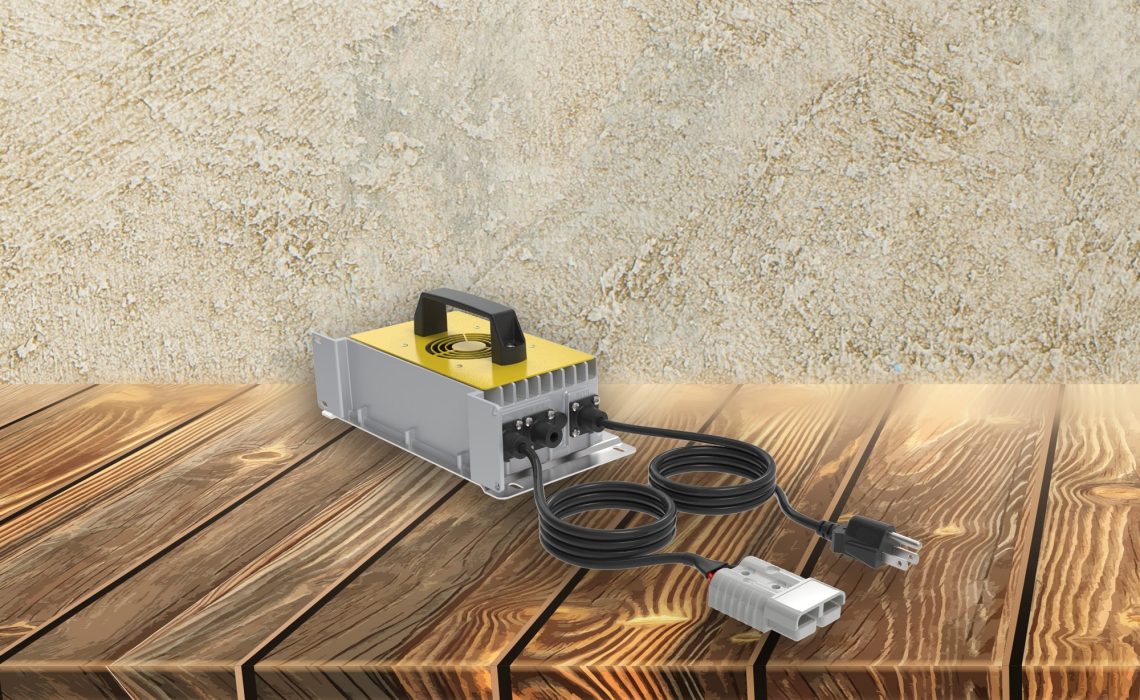
Lithium battery chargers are essential tools in today’s battery-driven world. To ensure they operate at peak performance, it’s important to adopt practices that promote efficiency and longevity. Here are some smart ways to keep your lithium battery charger running smoothly and efficiently.
1. Regular Inspection and Cleaning
Inspect your charger regularly for any signs of wear and tear. Cleaning it with a dry cloth can help prevent dust and debris from affecting its functionality.
It’s easy to overlook routine inspections, but they play a crucial role in the longevity of your device. A quick glance every few weeks can reveal issues before they escalate. Wipe down your charger to remove any dust that may have settled on its surface or in its crevices. This practice not only keeps your charger looking clean but also ensures it functions optimally. Dirt and grime can accumulate over time, potentially causing overheating or short-circuiting.
Additionally, inspect the charging cables and connectors. Bent or frayed wires can disrupt the charging process and even pose electrical hazards. Replace any damaged parts immediately. By keeping every component in good condition, you’re paving the way for efficient charging cycles and a longer lifespan for your charger.
2. Use the Right Charger
Ensure you are using the appropriate charger designed for your specific battery type. Mismatched chargers can lead to inefficiency and potential damage.
Every lithium battery has unique charging requirements. Using a generic charger might seem convenient, but it can ultimately harm your battery and charger. Manufacturers design chargers to align perfectly with their batteries’ specifications, providing the optimal current and voltage necessary for efficient charging. Always consult your device’s spec sheet or user manual, or reach out to customer support if you’re unsure about the compatibility of your charger.
3. Avoid Overcharging
Unplug your charger once the battery is fully charged to prevent overcharging, which can reduce the lifespan of both the battery and charger.
Overcharging not only stresses the battery but can also lead to the charger overheating. Advanced chargers, including the ones from BigBattery, often come with auto shut-off features. However, it’s still a good practice to unplug your device when it’s fully charged. Setting a timer on your phone as a reminder can help you develop this habit. Consistently unplugging your charger once the battery is full helps preserve the batteries’ health and maintains your charger’s efficiency.
4. Keep It Cool
Heat can severely impact your charger’s performance. Keep it in a cool, well-ventilated area to maintain its efficiency.
Temperature fluctuations can take a toll on electronic devices, and chargers are no exception. Locate a cool, stable environment for charging your devices. Avoid placing the charger on soft furnishings like beds or couches, which can trap heat. If possible, use a cooling pad specifically designed to dissipate heat. This ensures the charger doesn’t overheat and maintains its functional integrity over extended periods.
Operating your charger in direct sunlight or near heat sources such as radiators can also contribute to overheating. These conditions can speed up wear and tear. Heat build-up not only compromises the charger’s performance but can also be a safety hazard. Always be mindful of the charging environment to keep your equipment running smoothly.
5. Ensure Proper Ventilation
Be sure to avoid covering the charger or placing it in confined spaces. Proper ventilation helps in dissipating heat effectively.
Airflow is crucial to keeping electronic components cool. When you cover the charger or place it in a tight spot, you restrict ventilation, which can trap heat and lead to overheating. This, in turn, can affect the performance and lifespan of your charger. Consider placing your charger on a hard, flat surface to enable heat to dissipate more efficiently. Investing in an external fan can also help improve airflow around the charger.
Avoid stacking multiple electronic devices on top of each other while they’re charging as this can block vents and trap heat. Adopting these practices can help you maintain a cool operating environment, leading to a more efficient and longer-lasting charger.
6. Use Quality Power Sources
Connect your charger to stable and reliable power sources to avoid unexpected surges or drops that might disrupt charging efficiency.
Power source quality can have a significant impact on the performance of your charger. Unstable power supplies can cause surges and drops that may damage your charger or battery. Always plug your charger into a known and reliable outlet. Using surge protectors can offer an additional layer of defense against unexpected power spikes. Surge protectors are relatively inexpensive and can save your electronic devices from potentially costly damage.
7. Store in a Safe Place
When not in use, store your charger in a safe, dry place to protect it from accidental damage and harmful environmental factors.
Proper storage is just as important as proper usage. Storing your charger in a designated spot helps prevent it from getting lost or damaged. Choose a storage location that’s out of the reach of children and pets to avoid accidental damage. Moist and humid environments can cause corrosion of the charger’s internal components, so always opt for a dry place. Using a container or a storage box can offer additional protection.
8. Check for Software Updates
Some advanced chargers come with software that can be updated. Regularly check for updates to ensure optimal performance.
Software updates can provide important enhancements and fixes that improve your charger’s efficiency and functionality. If your charger can be connected to a computer or a mobile app, check for firmware updates periodically. These updates often come with performance enhancements, bug fixes, and even new features that can help your charger operate more efficiently. Keeping the software up-to-date ensures that you’re leveraging all the technological advancements the manufacturer offers.
9. Follow Manufacturer Guidelines
Adhere to the guidelines and recommendations provided by the manufacturer. These are designed to help you get the best out of your charger.
Your battery’s or charger’s user manual isn’t just for troubleshooting. It contains valuable information on how to use the charger efficiently. Following the manufacturer’s guidelines can maximize the life and performance of your charger. Guidelines often include instructions on optimal charging environments, correct usage protocols, and maintenance tips. Ignoring these guidelines can sometimes lead to damage that isn’t covered by the warranty. Taking a few moments to read and implement these recommendations can save you from future headaches.
10. Use in Dry Conditions
Moisture can damage electronic components. Be sure to use and store your charger in dry conditions to maintain its integrity.
Humidity and moisture are the arch-enemies of electronic devices. Charging in a dry environment is crucial to prevent short-circuiting and other moisture-related damages. When taking your charger to environments where moisture is prevalent, ensure it’s well-protected. Consider using a moisture absorbent pack in your storage box to keep the internal environment dry. This simple step can go a long way in preserving your charger’s longevity.
11. Avoid Physical Damage
Be gentle with your charger, avoiding drops or impacts that could damage its internal components.
Physical impacts can cause unseen internal damage. Always handle your charger with care and avoid dropping it. Even minor impacts can jostle internal components and affect the charger’s functionality. Consider using a protective cover when transporting your charger. This small investment can save you from having to replace your charger prematurely. Treating your charger with care helps ensure it can provide a long, efficient service life.
12. Replace Worn-out Parts
If any part of your charger shows signs of wear or malfunction, replace it promptly to ensure smooth and efficient operation.
Over time, parts of your charger may wear out. Whether it’s a frayed cable or a loose connector, these worn-out parts can lead to inefficient charging and even pose safety risks. Prompt replacement of these elements can keep your charger running smoothly and extend its overall life. Most manufacturers and customer support teams sell replacement parts or can guide you on where to find them. Don’t procrastinate on these repairs. Staying proactive can save you money and trouble in the long run.
BigBattery can help you learn more about lithium-ion battery chargers and how to properly care for and maintain your equipment. We have a wide selection of batteries, chargers, other system components, and many helpful blogs like this one to answer your questions. If you need any additional information, you can contact us anytime to speak with a specialist who’s happy to assist you with any questions, comments, or concerns.